Learn
Share with a client
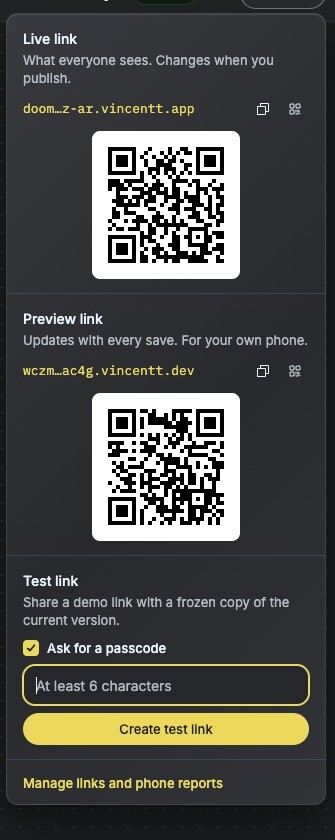
The preview link shows every new save, which is right for your team and wrong for a client. A test link is a frozen copy of one version, made for sharing.
Make a test link
- In the console, open your project and press Share. Tick Ask for a passcode if you want one, then press Create test link. Or open the project menu, Preview & test links, for the full list.
- The version is the newest save that works unless you pick another.
- A passcode is at least 6 characters.
- Send the link. Or ask your AI: "make a test link for the client".
How it behaves
- It is a frozen copy of that one version, built exactly as a published experience would be. Later saves do not change it.
- It lasts 7 days or 100 views, whichever comes first, on every plan. Reloads in the same browser session count once.
- It opens on any phone without an account. With a passcode, the phone shows a page asking for it first.
- The viewer can press Send feedback, mark the frame and type a note. It arrives in your project's comments, labelled "Test link".
- When a link has expired or been ended, the page says so plainly and asks the viewer to request a new one.
Managing links
- The list on the Preview & test links page shows each link, its version, views used of the limit, and when it expires.
- End stops a link at once.
- Share a new version any time by creating a fresh link. The old one keeps running until it ends or expires.