Learn
See it on your phone
Every project has one preview link that is always ready. Nothing to start, nothing to stop.
Open it
-
In the console, open your project and press Share. The menu shows the live link, the preview link and a test-link button.
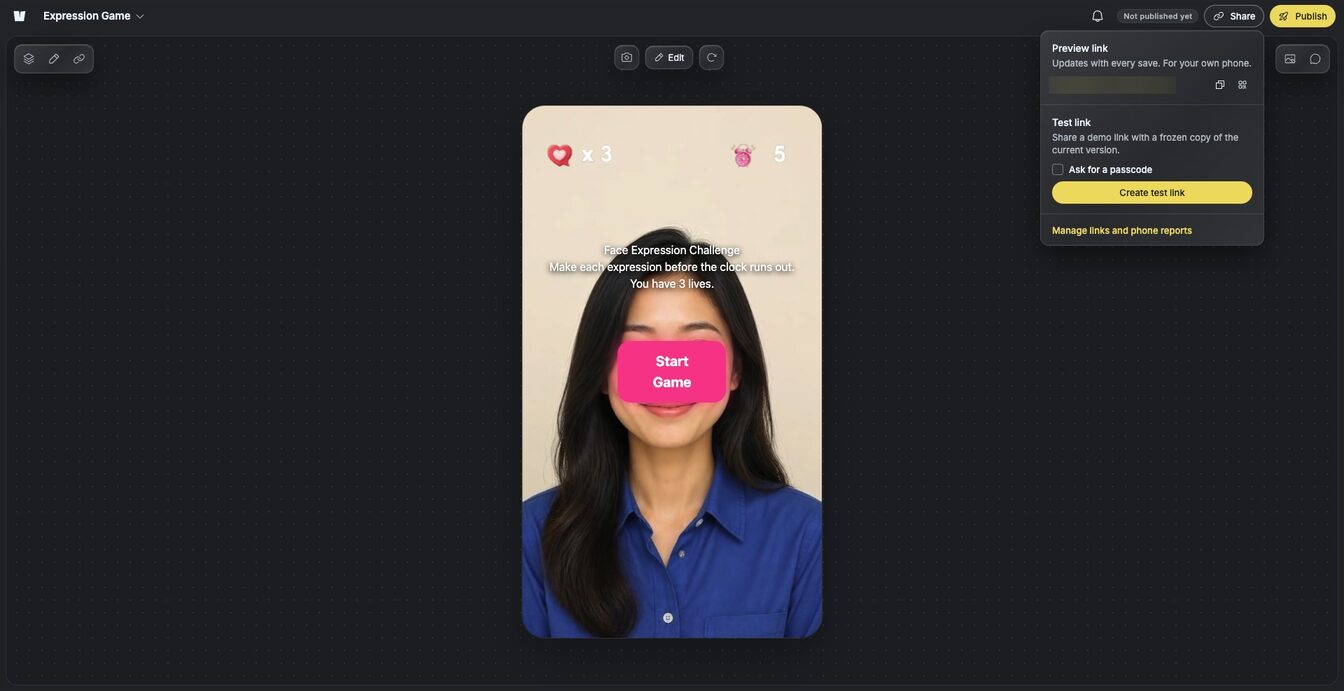
-
Press the QR icon next to the preview link and scan it with your phone's camera, or copy the link. Or ask your AI for the preview link; in Claude and ChatGPT it comes as a card with the code in it.
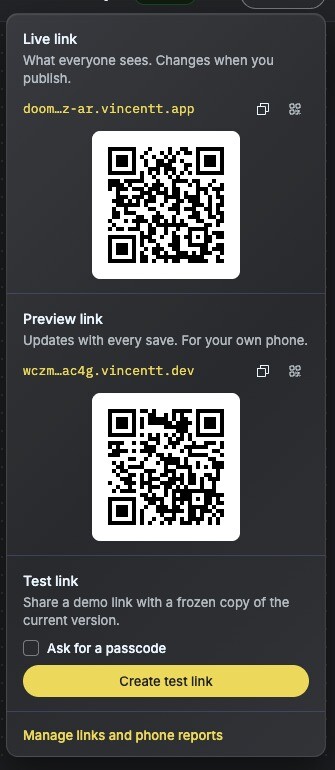
-
Allow the camera when your phone's browser asks. The experience starts.
It follows your work
- Every good save appears on your phone on its own. The phone reloads; you keep holding it up.
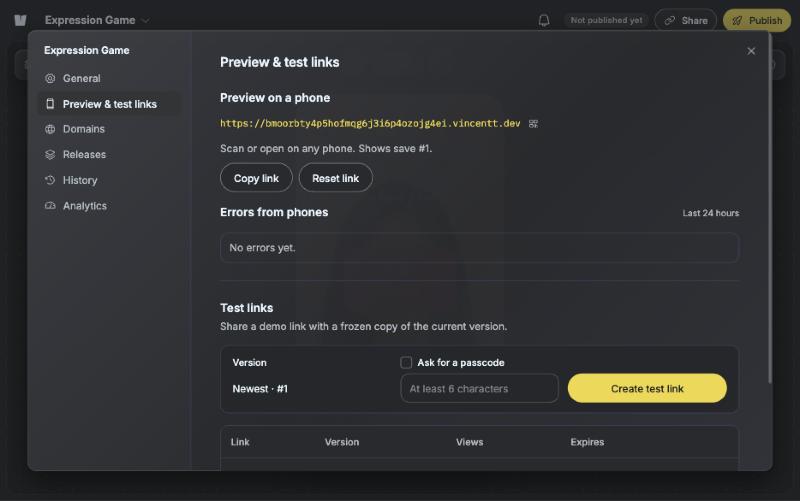
- A save with a problem never reaches the phone. The phone stays on the last version that worked, and the Preview & test links page (project menu) says which save has the problem and where. Your AI sees the same and fixes it.
- When something goes wrong on the phone itself, the report shows on the Preview & test links page under Errors from phones: what happened, on which device, how long ago. Your AI can read these too. Reports are kept for 24 hours. Nothing from the camera is ever sent.
Who can see it
- Anyone holding the link can open it, without signing in, and they see every new save. Share it with people you work with. For a client, make a test link instead.
- Reset link on the Preview & test links page ends the old link at once for every phone and gives you a new one.
- A link also resets by itself after 30 days without a visit.
Good to know
- The preview link is unlisted and unguessable.
- It works on any current phone browser.
- Only workspace members can get the link from the console or through their AI.