Learn
Connect your AI
Your AI app does the building. Connecting it to Vincentt once lets it create projects, save changes, hand you the phone link and publish, all from the chat you are already in.
Add the connector
- In Claude, open Connectors, search for Vincentt and choose Connect. In ChatGPT, add a custom connector with this address:
https://mcp.vincentt.studio/mcp. Other AI apps that support hosted connectors use the same address. - The app sends you to a Vincentt page. If you are signed out, sign in first.
- The page names the app and lists what it will be able to do and what it never can. Choose Allow.
- You are sent back to your AI app. It is connected. You will not do this again unless you disconnect it.
What your AI can do once connected
- See your workspaces and projects, and create new ones.
- Read and change project files. Every save is a version.
- Give you the preview link and QR code, and read errors your phone reports.
- Read the comments you and your team leave on the preview, reply, and resolve them.
- Make test links.
- Publish. The first publish of each project needs your approval in the console. After that it goes straight through.
- Learn how Vincentt works. The connector carries the know-how, so Claude and ChatGPT build equally well.
What it can never do
- Delete projects or source.
- Start new comments, reopen or delete them.
- Change members, plans or billing.
- See your password.
In the chat
In Claude and ChatGPT you also get small cards inside the conversation: a preview card with the QR code and the status of the latest save, a project list with "Work on this", and an upload card to add your own images, 3D models, sounds or videos straight into the project.
Staying in control
- One connection covers every workspace you belong to. The AI can never reach one you are not in.
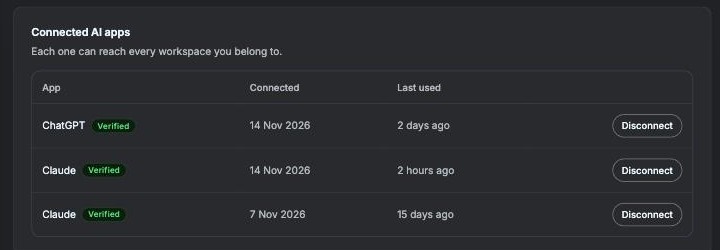
- Your account settings list each connected app and when it was last used, with Disconnect. Up to five apps can be connected.
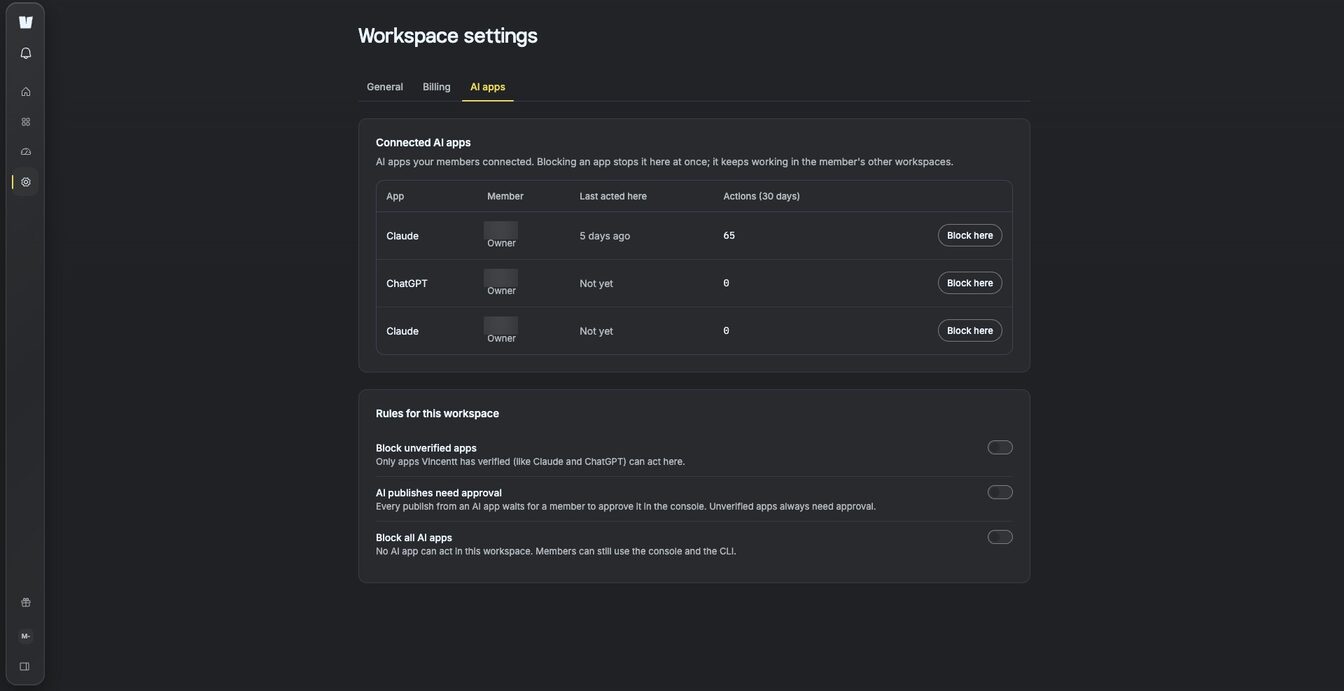
- Workspace owners can see which apps their members connected and can block an app from the workspace.
- Connecting works on every plan, including Free.